Data Review Summary
The Data Review Summary provides an AI-powered analysis of your data changes and their impact. The Recce Agent examines your metadata, runs data diffing checks, and delivers insights to guide merge decisions.
What It Does
- Identifies what to validate - Automatically determines which changes need data diffing
- Runs checks - Executes relevant validation checks and assesses impact
- Explores changes - Uses data diffing to surface meaningful differences
- Generates insights - Provides recommendations for informed decision-making
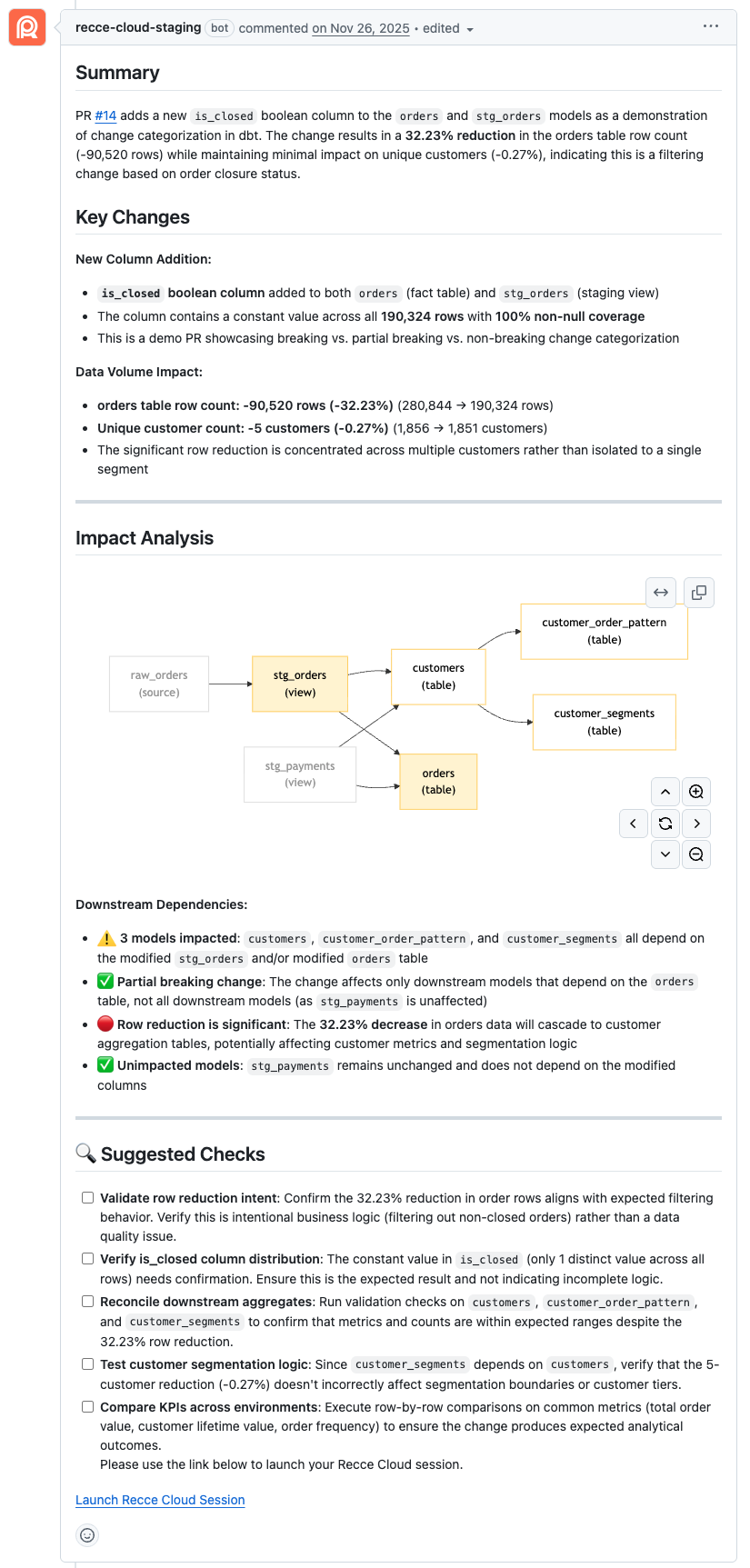
Example of Recce agent summary in a GitHub PR comment:
How to Generate
Automatic (CI/CD)
The summary also generates when session metadata is updated:
- Run
recce-cloud uploadin your CI workflow - Update session metadata through the Cloud UI
Automatic (PR)
The summary generates automatically when you push a new commit to your PR. Your CI workflow runs recce-cloud upload, which triggers the agent to analyze your changes.
Manual (PR Comment)
Comment /recce on your GitHub PR to generate a new data review summary. The Recce bot responds with a status update while generating.
View Agent Progress
When you push a commit to your PR, the Recce bot posts progress updates:
- 👀 Changes detected
- 🚀 Summary generating
- 👍 Summary complete

Manual (Cloud UI)
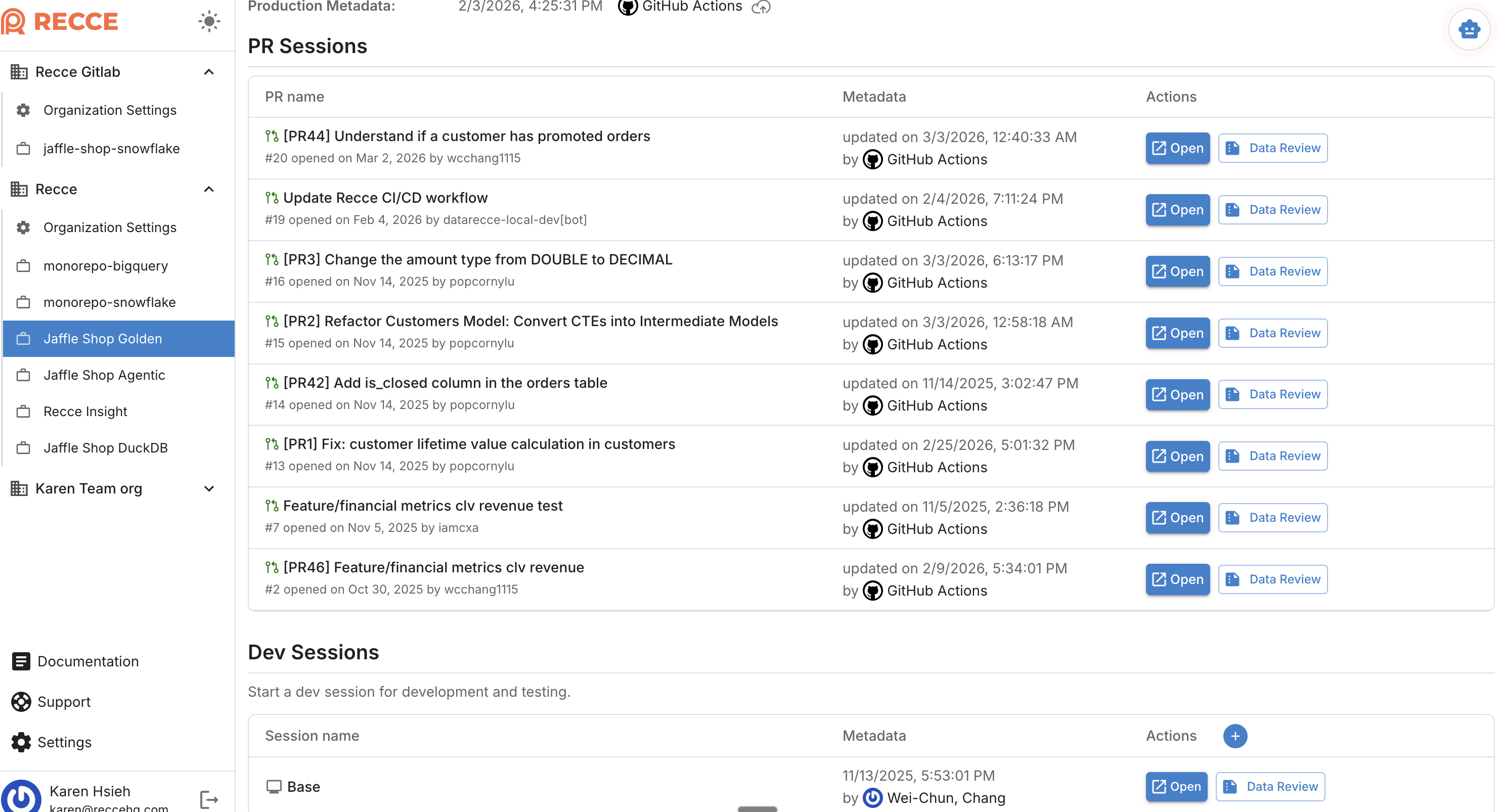
Click Data Review in a session to generate a summary on demand.
Reading the Summary
The validation summary includes these sections:
| Section | What It Shows |
|---|---|
| Summary | Overview of PR changes and key impacts |
| Key Changes | Models modified, file changes, and specific value differences |
| Impact Analysis | Lineage diagram showing downstream dependencies affected |
| Checklist | Validation results with run status and impact analysis |
| Suggested Actions | Recommended next steps based on findings |
Status Symbols
The agent uses these symbols for Impact Analysis:
| Symbol | Meaning |
|---|---|
| 🔴 | Critical - Issue requires attention before merge |
| ⚠️ | Warning - Review recommended but not blocking |
| ✅ | OK - Validation passed or change is acceptable |
| 📝 | Informational - Expected change, documented for context |
These differ from checklist status icons, which show Pass/Warning/Fail for individual checks.
Static Summary
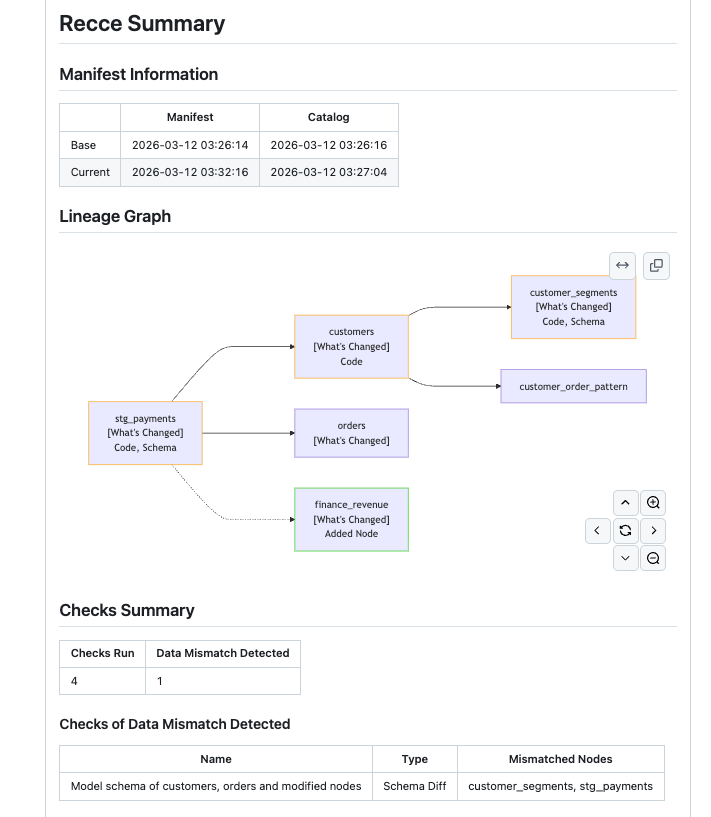
Recce OSS generates a static summary from your state file. Unlike the Cloud agent summary, this outputs a Markdown report of your checklist results.
Save to a file for PR comments:
When to Use
- Reviewing PRs - Get a quick understanding of data changes before diving deeper
- Validating impact - See which downstream models are affected
- Communicating changes - Share findings with teammates and reviewers
- Deciding to merge - Use insights to make informed merge decisions
Related
- Data Developer Workflow - How developers use summaries during development
- Data Reviewer Workflow - How reviewers use summaries for PR review
- Data Diffing - Validation techniques used by the agent