Data Workflow in OSS
Validate data changes locally using Recce open source (OSS). This guide covers saving your work, managing checklists, and sharing results with reviewers.
Goal: Validate data changes locally and share evidence with PR reviewers.
Prerequisites
- Recce OSS installed
- dbt project with base and current environments configured
- Access to your data warehouse
Development Workflow
1. Run Validation Checks
Start the Recce server and validate your changes:
Use lineage diff, schema diff, and data diffs to validate your changes. Add important checks to your checklist with descriptions explaining what reviewers should verify.
2. Iterate as You Develop
When you update your dbt models locally, Recce automatically detects changes to your target/ artifacts. The lineage diff updates to reflect your latest changes, so you can keep validating as you develop.
- Make changes to your dbt models
- Run
dbt buildordbt runto update artifacts - Recce refreshes automatically—check the updated lineage and re-run validations
3. Save Your State
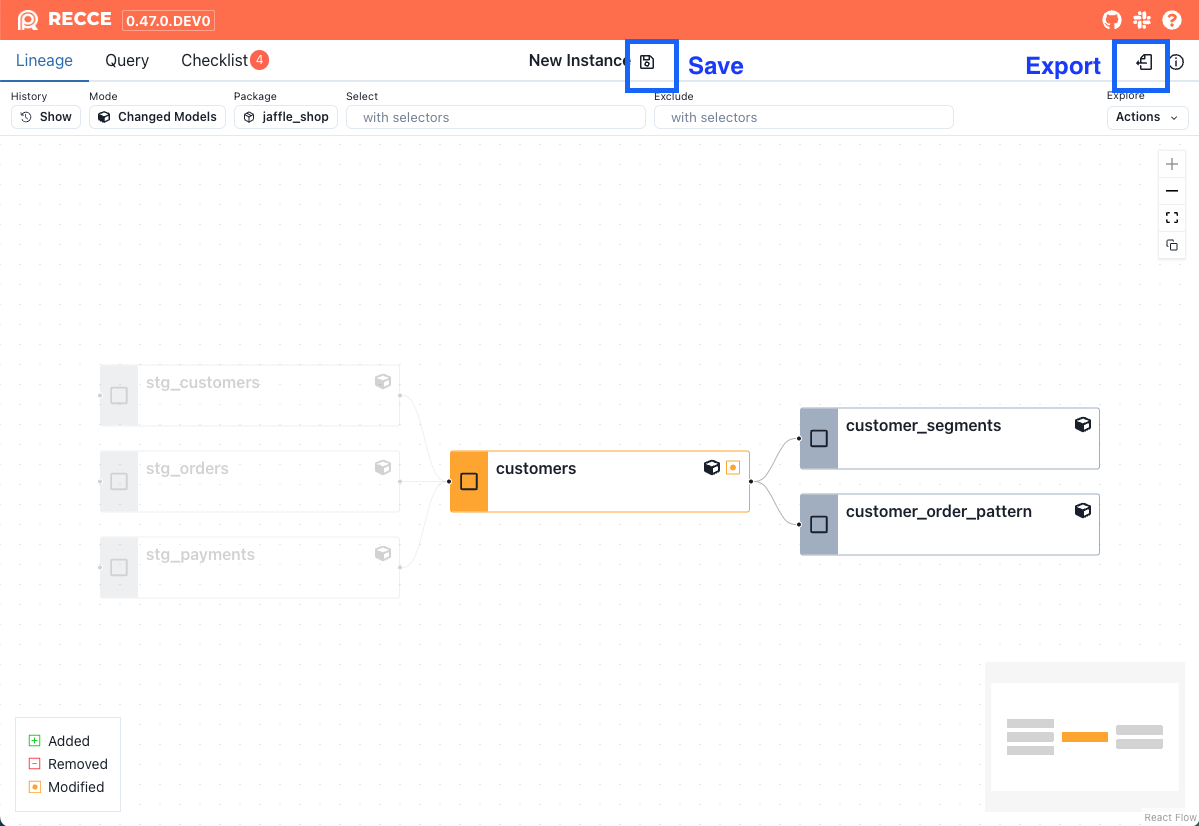
Switching branches is often unavoidable during development. Save your current state for future use:
- Click Export in the Recce UI
- Save the state file (e.g.,
recce_issue_123.json)
To resume later, start Recce with the state file:
4. Import Checklist
Reuse checks from previous sessions:
- Go to the Checklist page
- Click the Import icon
- Select a state file to import checks from
This preserves your favorite checks across branches.
5. Share with Reviewers
When ready for PR review, share your validation results.
As the submitter:
- Export your state file
- Attach the state file to your PR comment
- Use Copy to Clipboard to paste screenshots in PR comments
As the reviewer:
- Download the state file from the PR
- Run Recce in review mode:
The --review option uses artifacts from the state file to connect to both base and PR environments.
Required files
You still need profiles.yml and dbt_project.yml so Recce knows which credentials to use for the data warehouse connection.
Validation Techniques
See Data Diffing for available validation methods:
- Schema diff - Column additions, removals, type changes
- Row count diff - Record count comparison
- Value diff - Column-level match percentage
- Profile diff - Statistical comparison
- Query diff - Custom SQL validation
Verification
Confirm your workflow works:
- Make a model change and run
dbt build && dbt docs generate - Start Recce:
recce server - Add a validation check to your checklist
- Export the state file
- Start a new Recce session and import the checklist
- Verify checks imported correctly
Next Steps
- Share - More sharing options including Cloud upload
- Checklist - Managing validation checks
- State File - State file reference