Data Reviewer Workflow
Review data changes in pull requests using Recce. Your admin set up Recce for your team - here's how to use it as a reviewer.
Goal: Review and approve data changes in PRs with confidence.
Prerequisites
- Recce Cloud account (via team invitation)
- Access to the project in Cloud
- PR with Recce validation results
Reviewing a PR
1. Find the Data Review Summary
When a PR modifies dbt models, the Recce Agent posts a summary comment. See Data Review Summary for details on what the agent analyzes.
- Open the PR in GitHub/GitLab
- Scroll to the Recce bot comment
- Review the summary sections
Expected result: Summary shows change overview, impact analysis, and validation results.
2. Understand the Summary
The summary shows key changes, impact analysis, checklist results, and suggested actions. See Reading the Summary for details.
3. Review the Checklist
Verify the checklist covers the impacts identified in the summary. Check each validation result for Pass, Warning, or Fail status. If impacted models lack validation checks, consider running additional diffs in Cloud.
Approve individual checks as you review them to track your progress and signal to other reviewers which validations have been verified.

Activity
Alongside the checklist, use the Activity panel to track all session events—approvals, comments, and updates. Leave comments, request clarifications, or discuss specific validation results directly in the session.
4. Explore in Cloud
For deeper investigation:
- Click Launch Recce in the PR comment (or go to Cloud)
- Select the PR session from the list
- Explore the changes interactively
What you can do:
- View lineage diff to see affected models
- Drill into schema changes per model
- Run additional data diffs (row count, profile, value, etc.)
- Execute custom queries to investigate specific concerns
5. Approve or Request Changes
Based on your review:
Approve the PR:
- Validation results meet expectations
- Impact scope is understood and acceptable
- No unexpected data changes
Request changes:
- Validation failures need investigation
- Impact scope is broader than expected
- Questions about specific changes
PR Blocking Checks
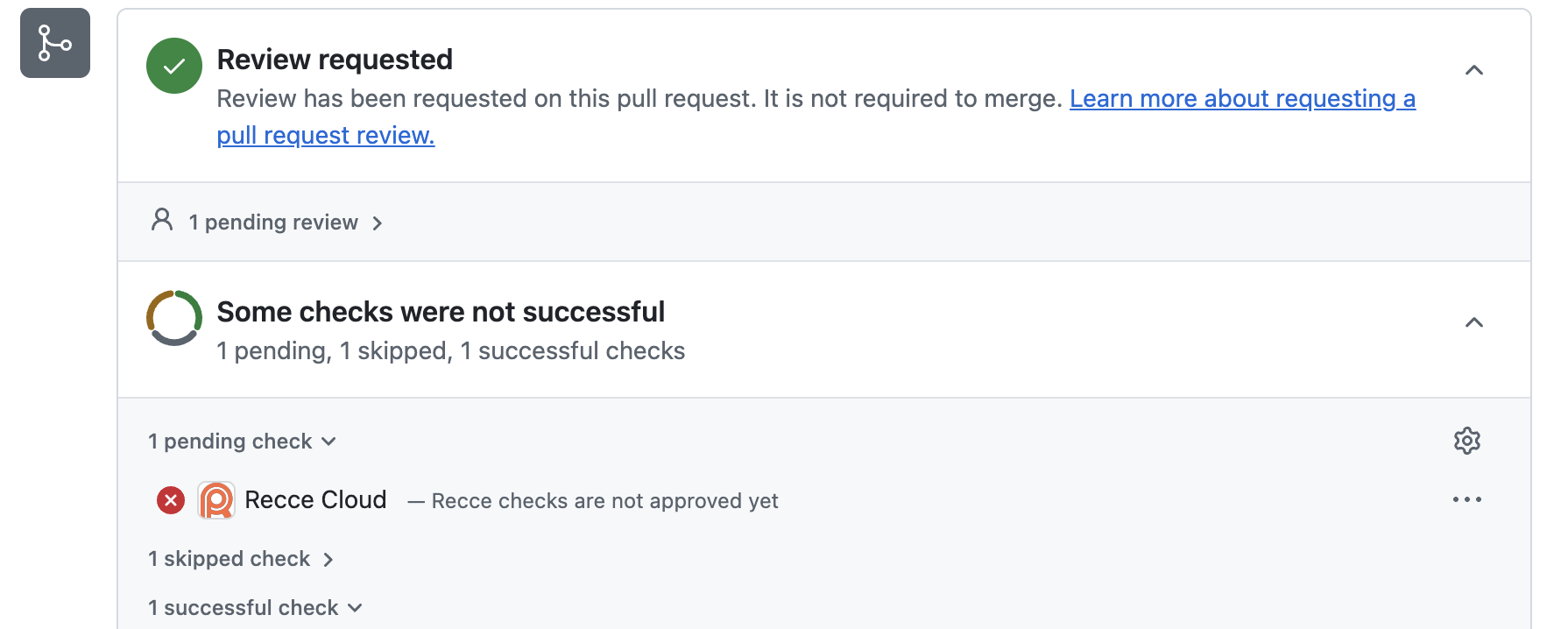
Recce checks appear as status checks on your PR. The blocking is from the Recce Cloud GitHub App and runs automatically. When configured as required checks, reviewers must approve all checks in the checklist before the PR can be merged.
Common Review Scenarios
Schema Changes
When columns are added, removed, or modified:
- Check if downstream models are affected
- Verify the change is intentional
- Confirm breaking changes are coordinated
Row Count Differences
When record counts change:
- Determine if the change is expected
- Check if filters or joins were modified
- Verify the magnitude is reasonable
Performance Impact
When models are refactored:
- Compare query complexity
- Check for unintended full table scans
- Review impact on downstream refresh times
Verification
Confirm you can review PRs:
- Open a PR with Recce validation results
- Find the Recce bot comment
- Click Launch Recce to open the session
- Navigate the lineage and view a diff result
Next Steps
- Data Developer Workflow - How developers validate changes
- Data Review Summary - Understanding the agent summary
- Checklist - Track validation checks across PRs
- Share Validation Results - Share findings with your team