Connect Your Repository
Goal: Connect your GitHub or GitLab repository to Recce Cloud for automated PR data review.
Cloud supports GitHub and GitLab. Using a different provider? Contact us at [email protected].
Prerequisites
- Cloud account (free trial at cloud.reccehq.com)
- Repository admin access (required to authorize app installation)
- dbt project in the repository
How It Works
When you connect a Git provider, Cloud maps your setup:
| Git Provider | Cloud |
|---|---|
| Organization | Organization |
| Repository | Project |
Every Cloud account starts with one organization and one project. When you connect your Git provider, you select which organization and repository to link.
Monorepo support: If you have multiple dbt projects in one repository, you can create multiple Cloud projects that connect to the same repo.
Connect GitHub
1. Authorize the Recce GitHub App
Navigate to Settings → Git Provider in Cloud. Click Connect GitHub.
Expected result: GitHub authorization page opens.
2. Select Organization and Repository
Choose which GitHub organization to connect. This becomes your Cloud organization.
Then select the repository containing your dbt project. This becomes your Cloud project.
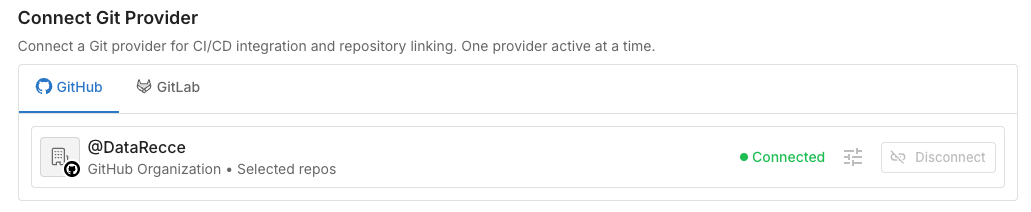
Expected result: Repository connected. Your Cloud project is ready to use.
Connect GitLab
GitLab uses Personal Access Tokens (PAT) instead of OAuth.
1. Create a Personal Access Token
In GitLab: User Settings → Access Tokens → Add new token.
Required scopes:
api- Full access (required for PR comments)read_api- Read-only alternative (limited functionality)
Expected result: Token string displayed (copy immediately).
2. Add Token to Cloud
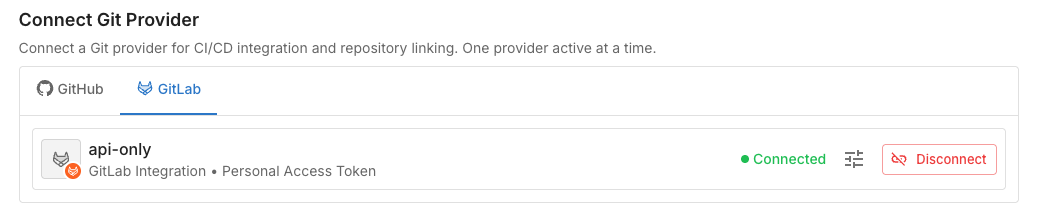
Navigate to Settings → Git Provider. Select GitLab, paste token.
Verify Success
In Cloud, navigate to your repository. You should see:
- Connection status: "Connected"
- Organization Project is linked to a git repository

Troubleshooting
| Issue | Solution |
|---|---|
| Repository not found | Ensure proper permissions are granted (GitLab: token access, GitHub: app authorized) |
| Invalid token (GitLab) | Generate new token with api scope |
| Cannot post PR comments (GitLab) | Regenerate token with api scope instead of read_api |