Checklist
Save validation checks to track your findings and share them with reviewers. The checklist becomes your proof-of-correctness for modeling changes.
How It Works
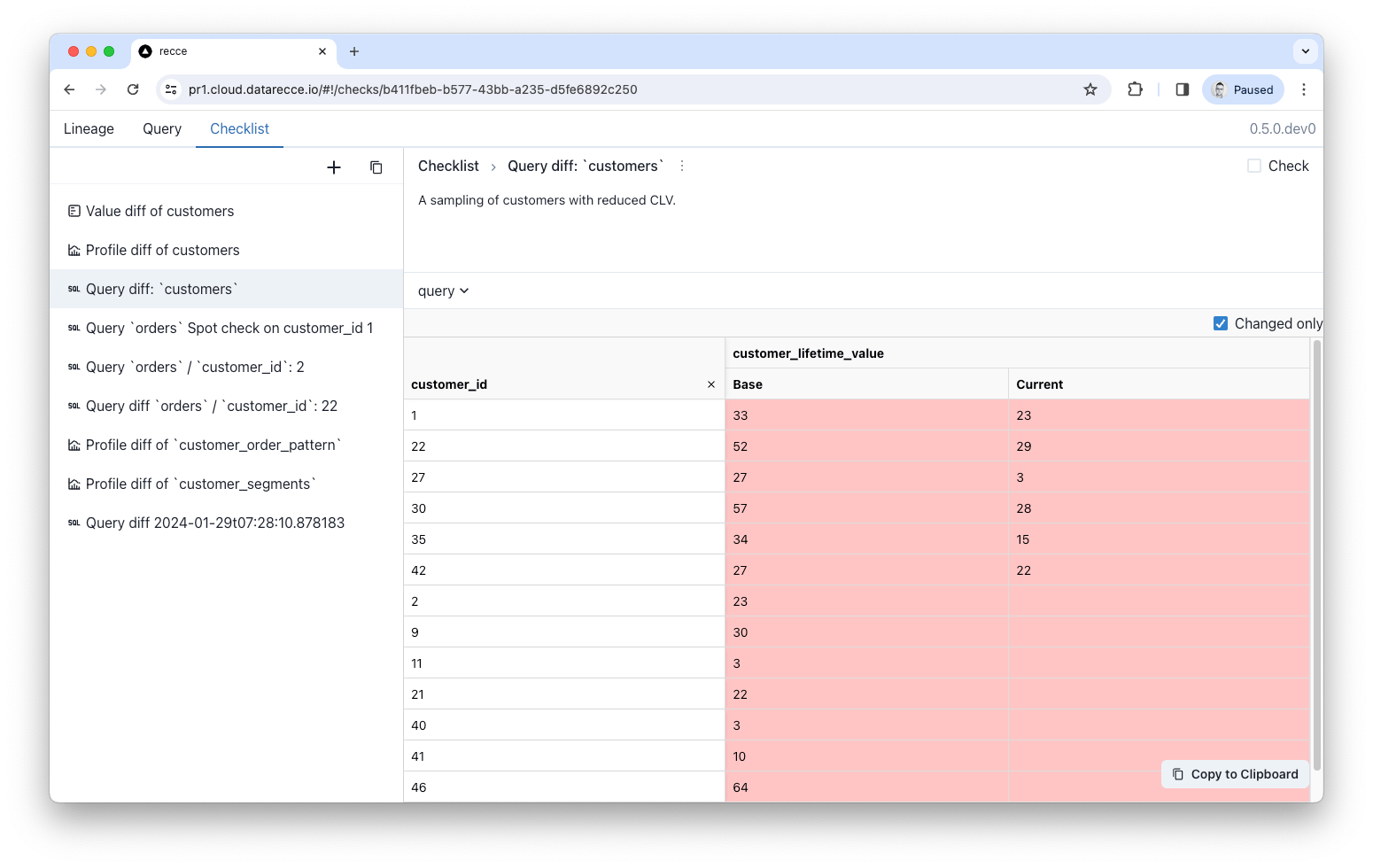
When you run a diff or query in Recce, you can add the result to your checklist. Each check captures:
- The validation type (schema diff, row count, query, etc.)
- The result at the time of capture
- Your notes explaining what the result means
Adding Checks
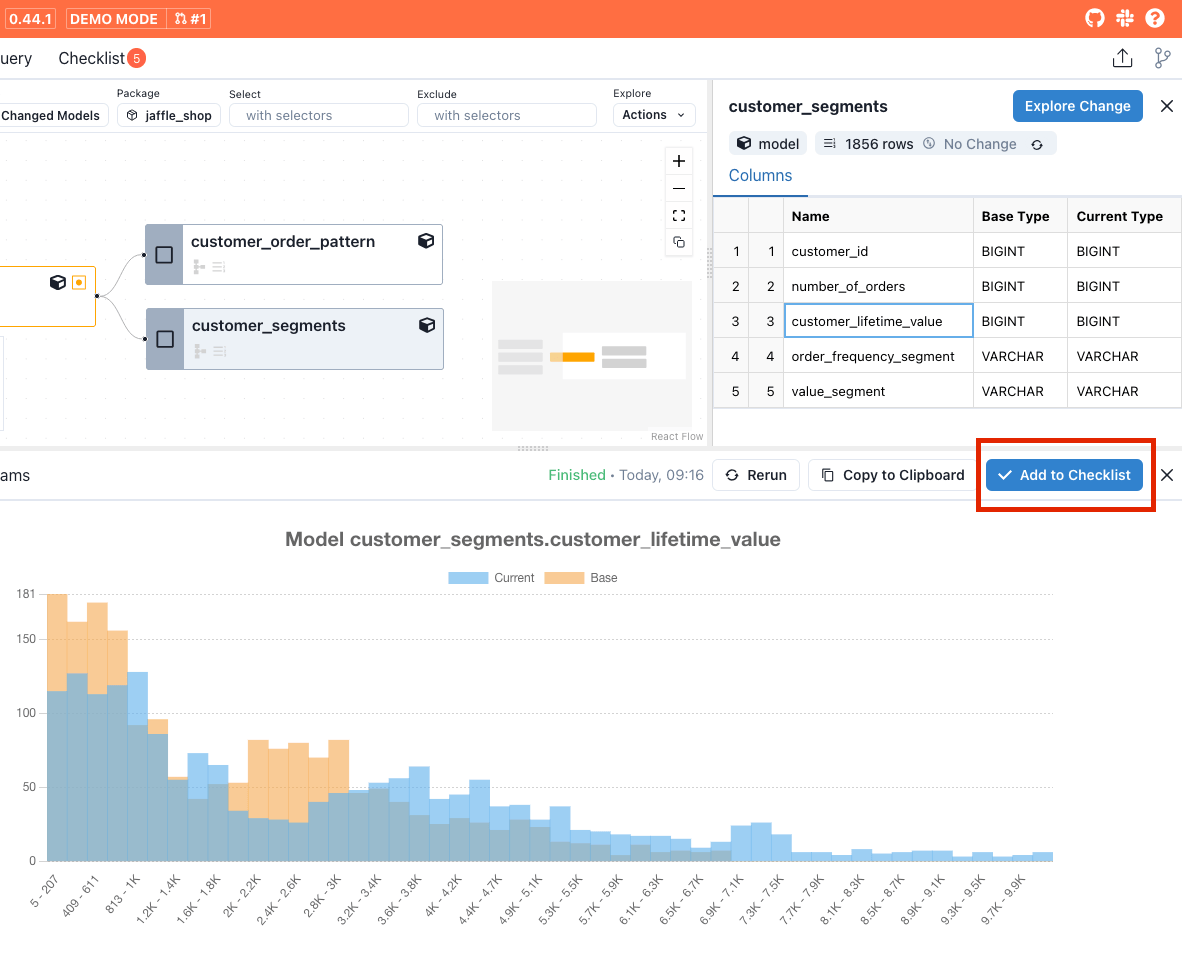
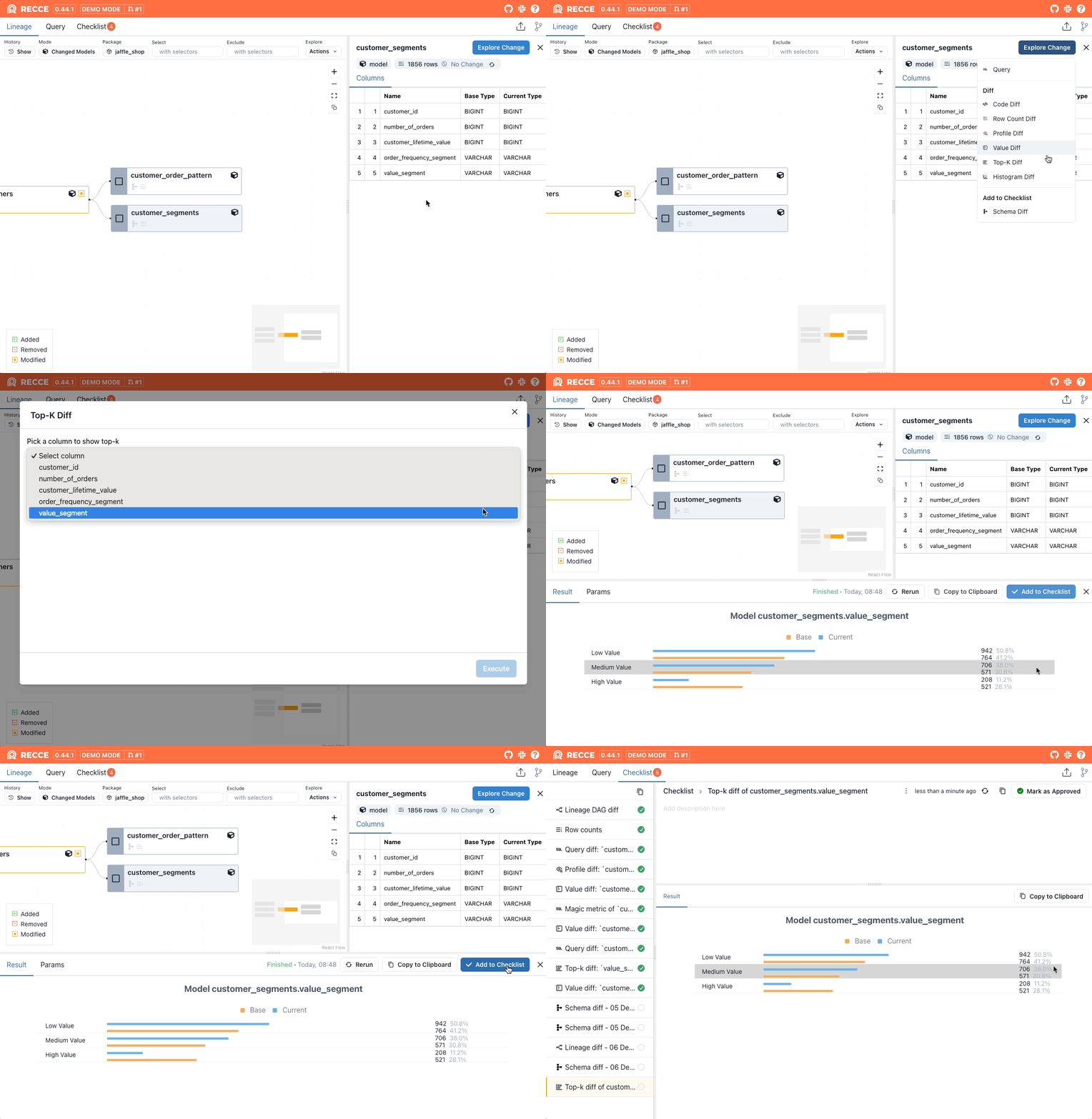
For diffs performed via the Explore Change dropdown menu, click Add to Checklist in the results panel:
Writing Descriptions
Add descriptions to help reviewers understand each check:
- What changed - The specific model or column being validated
- Why it matters - Business context or downstream impact
- What to verify - Expected behavior or acceptable thresholds
Good descriptions reduce back-and-forth and speed up PR approval.
Approving Checks
Reviewers approve individual checks as they verify each validation. When configured as a required PR check, all checks must be approved before the PR can be merged.
This ensures:
- Every validation is reviewed, not just glanced at
- Multiple reviewers can collaborate on approval
- Clear audit trail of who verified what
Re-running Checks
After making additional changes to your models, re-run checks from the checklist to verify your updates. This lets you iterate until all validations pass.
For checks you want to run on every PR automatically, see Preset Checks.
When to Use
- During development - Save checks as you validate each change, building evidence as you go
- Before creating a PR - Compile all validations that prove your changes are correct
- For recurring validations - Use Preset Checks to automate checks that should run on every PR
- Stakeholder review - Share your checklist to give reviewers full context
Related
- Preset Checks - Automate recurring validation checks
- Share - Share your checklist with reviewers