State File
This reference documents the Recce state file format, which stores validation results, checks, and environment information.
Overview
The state file represents the serialized state of a Recce instance. It is a JSON-formatted file containing checks, runs, environment artifacts, and runtime information.
File Format
| Aspect | Details |
|---|---|
| Format | JSON |
| Default name | recce_state.json |
| Location | dbt project root |
Contents
The state file contains the following information:
- Checks: Data from the checks added to the checklist on the Checklist page
- Runs: Each diff execution in Recce corresponds to a run, similar to a query in a data warehouse. Typically, a single run submits a series of queries to the warehouse and retrieves the final results
- Environment Artifacts: Includes
manifest.jsonandcatalog.jsonfiles for both the base and current environments - Runtime Information: Metadata such as Git branch details and pull request (PR) information from the CI runner
Saving the State File
There are multiple ways to save the state file.
Save from Web UI
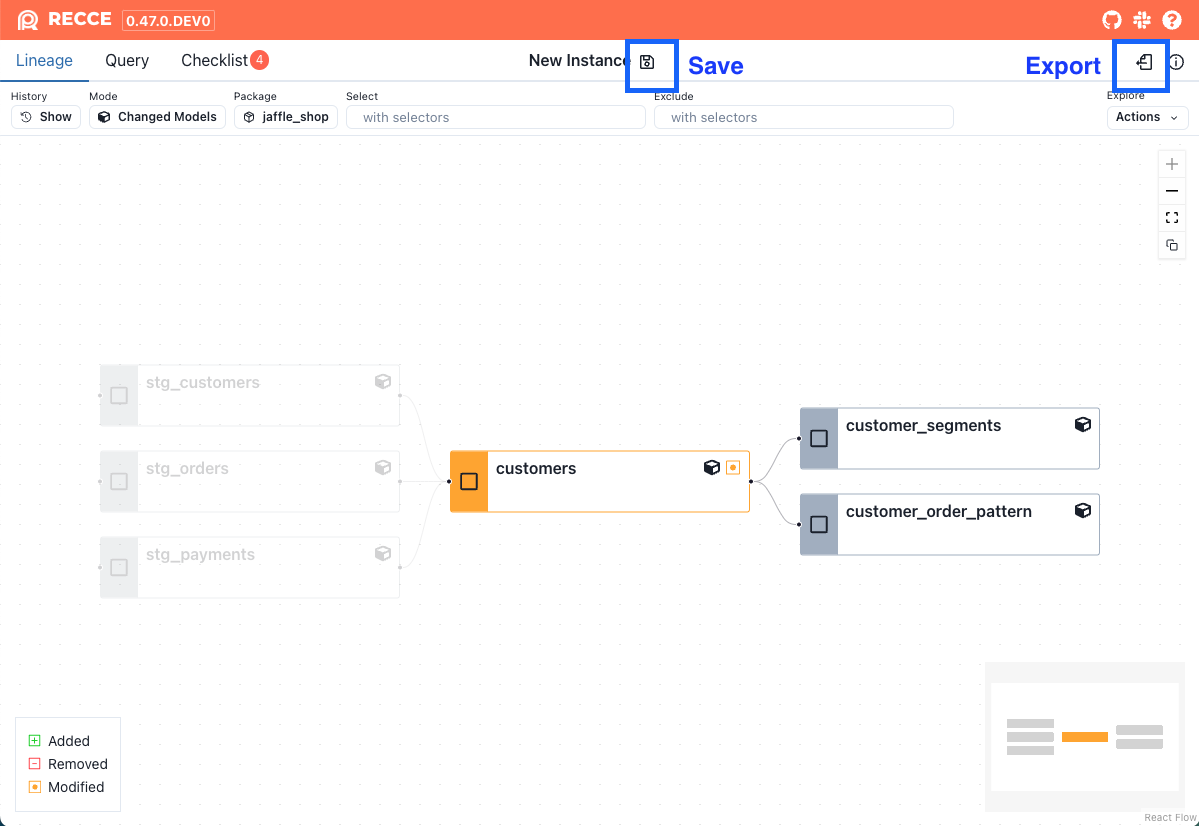
Click the Save button at the top of the app. Recce will continuously write updates to the state file, effectively working like an auto-save feature, and persist the state until the Recce instance is closed. The file is saved with the specified filename in the directory where the recce server command is run.
Export from Web UI
Click the Export button located in the top-right corner to download the current Recce state to any location on your machine.
Start with State File
Provide a state file as an argument when launching Recce. If the file does not exist, Recce will create a state file and start with an empty state. If the file exists, Recce will load the state and continue working from it.
Using the State File
The state file can be used in several ways:
Continue State
Launch Recce with the specified state file to continue from where you left off.
Review Mode
Running Recce with the --review option enables review mode. In this mode, Recce uses the dbt artifacts in the state file instead of those in the target/ and target-base/ directories. This option is useful for distinguishing between development and review purposes.
Import Checklist
To preserve favorite checks across different branches, import a checklist by clicking the Import button at the top of the checklist.
Continue from recce run
Execute the checks in the specified state file.
Workflow Examples
Development Workflow
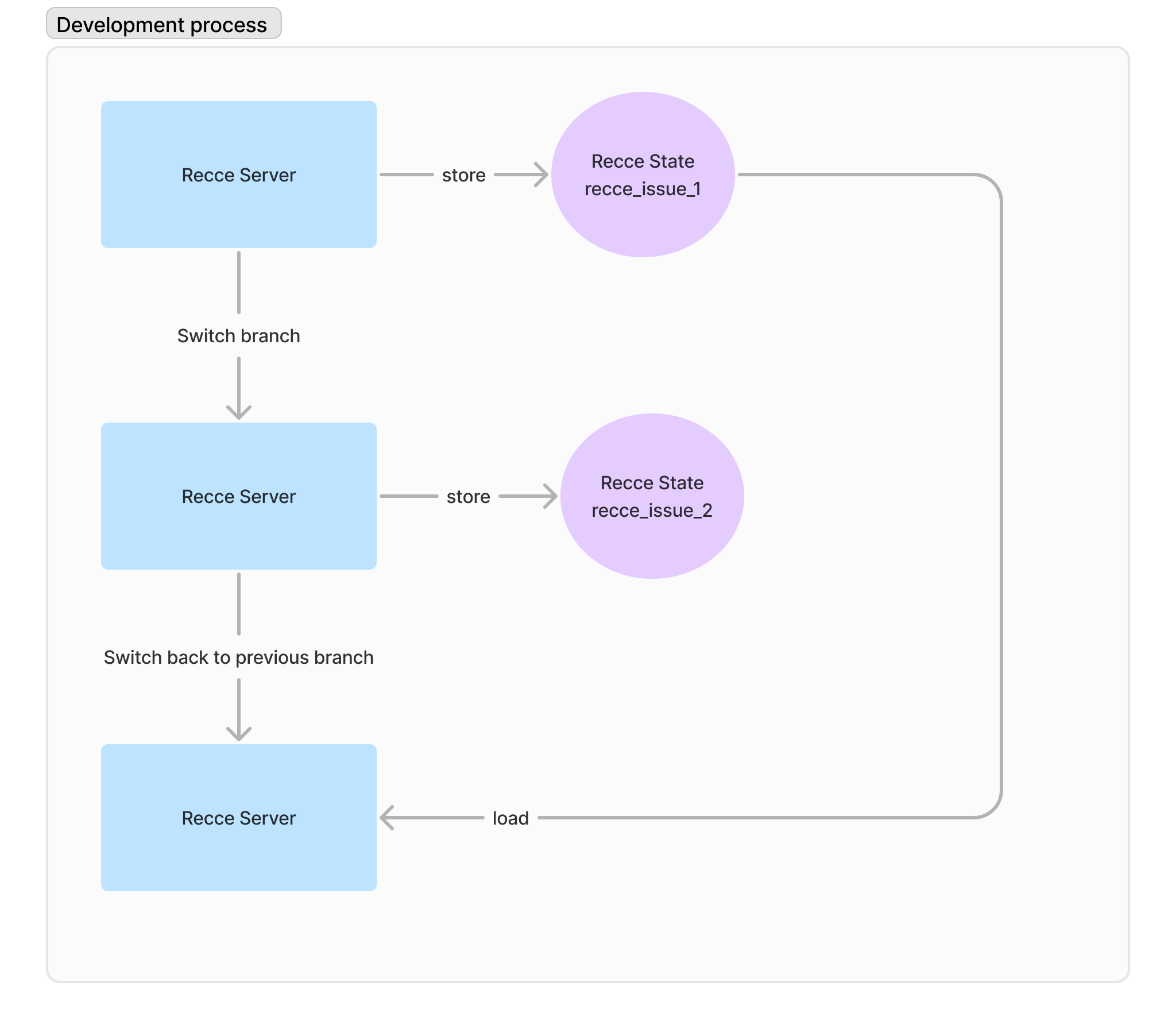
In the development workflow, the state file acts as a session for developing a feature. It allows you to store checks to verify the diff results against the base environment.
-
Run the recce server without a state file
-
Add checks to the checklist
- Save the state by clicking the Save or Export button
-
Resume your session by launching Recce with the specific state file
PR Review Workflow
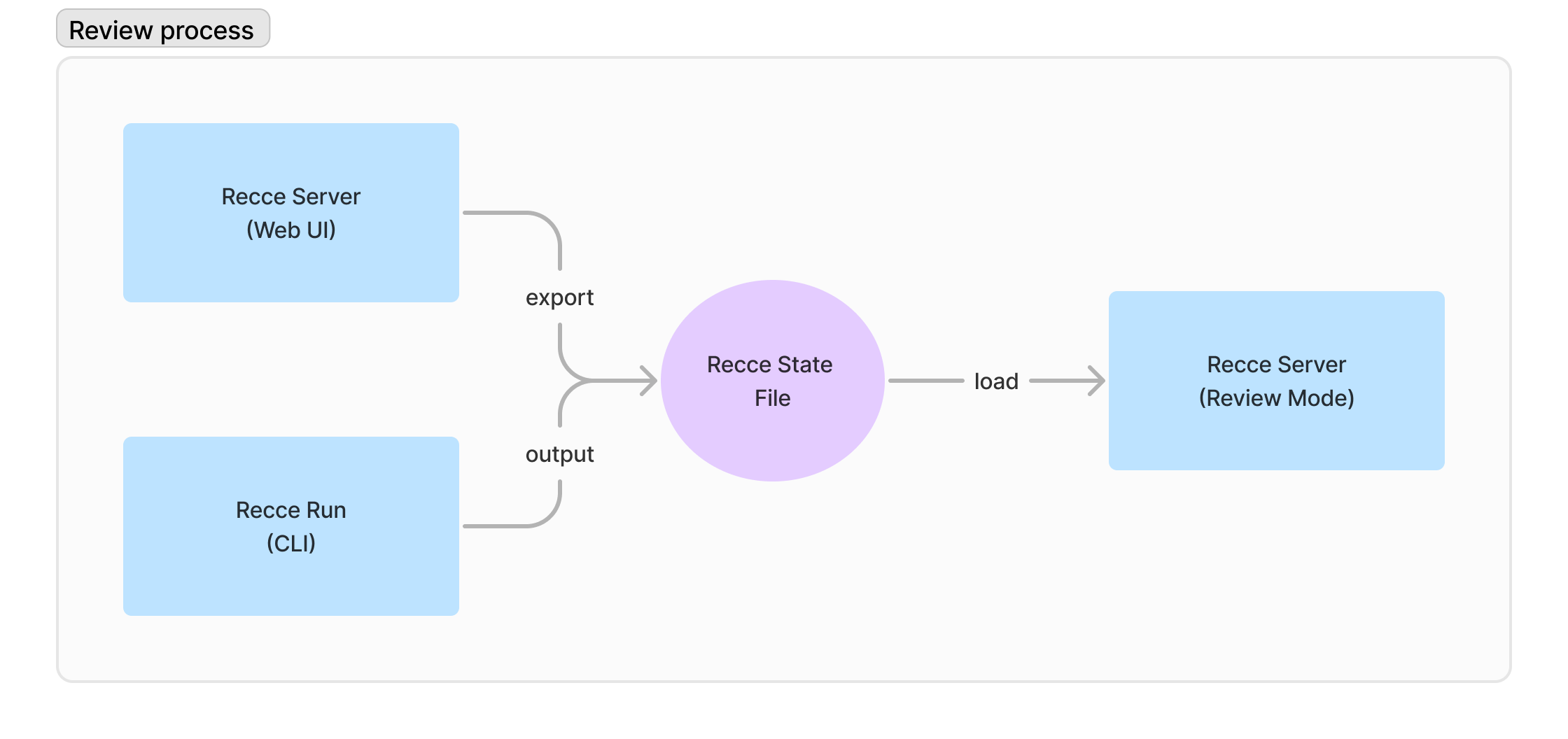
During the PR review process, the state file serves as a communication medium between the submitter and the reviewer.
-
Start the Recce server without a state file
-
Add checks to the checklist
- Save the state by clicking the Save or Export button
- Share the state file with the reviewer or attach it as a comment in the pull request
-
The reviewer reviews the results using the state file
CLI Options
| Option | Description |
|---|---|
recce server <file> |
Start server with state file |
recce server --review <file> |
Start in review mode using state file artifacts |
recce run --state-file <file> |
Run checks from state file |
Default Behavior
- If no state file is specified, Recce starts with an empty state
- State files are saved to the current working directory by default
- Review mode (
--review) uses artifacts embedded in the state file
Related
- CLI Reference - Command-line options
- Configuration - Preset check configuration
- PR Review Workflow - Using state files in reviews