Preset Checks
Define validation checks that run automatically for every PR. Preset checks ensure consistent validation across your team.
Goal: Configure recurring checks that execute automatically when Recce runs.
Prerequisites
- Recce Cloud account or Recce installed in your dbt project
- At least one validation check you want to automate
Recce Cloud
Create preset checks directly in the Recce Cloud interface. When a PR is created, preset checks run automatically.
From the checklist
Mark any existing check as a preset check:
- Run a diff or query in your Recce session
- Add the result to your checklist
- Open the check menu and select Mark as Preset Check

From project settings
Create preset checks directly in your project configuration:
- Navigate to your project's Preset Checks page
- Click Add Preset Check
- Configure the check type and parameters


When preset checks are configured, they run automatically each time a PR is created.
Recce OSS
For local Recce, configure preset checks in recce.yml and run them manually or in CI.
Configure in recce.yml
-
Start by adding a check to your checklist manually:
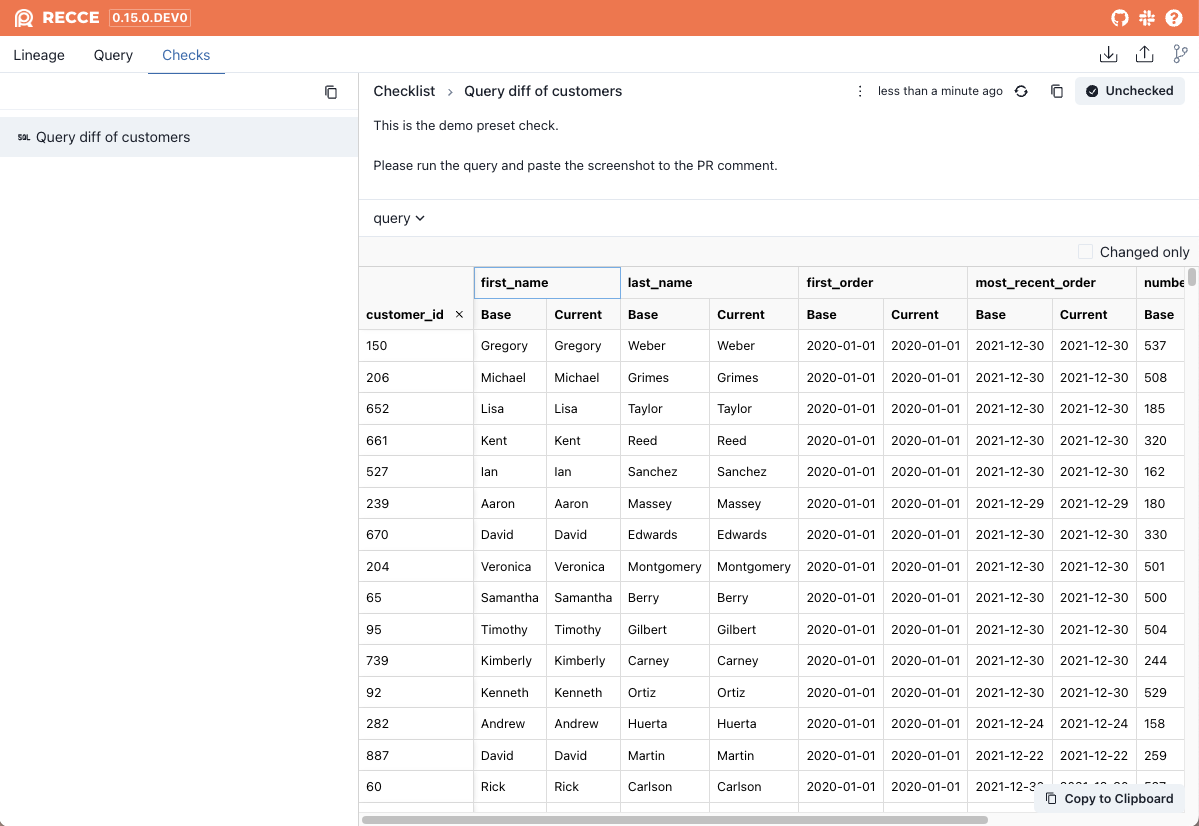
- Run a diff or query in Recce
-
Add the result to your checklist
-
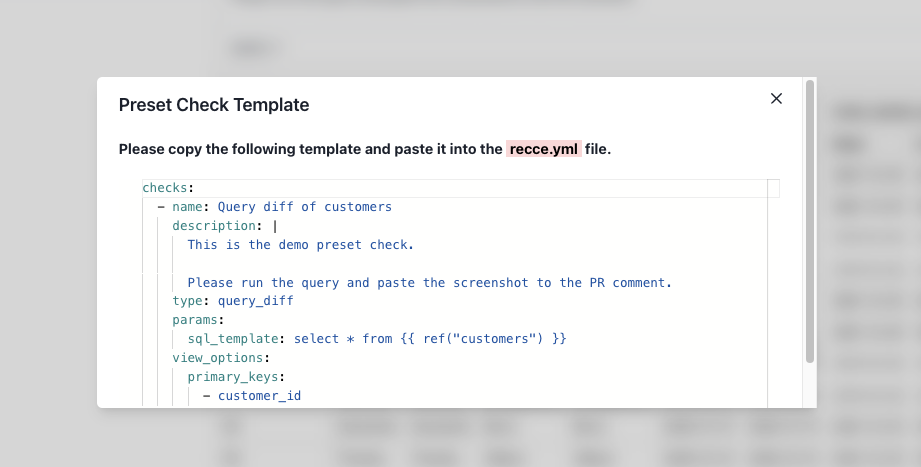
Open the check menu and select Get Preset Check Template
-
Copy the YAML config from the dialog
-
Paste the config into
recce.ymlat your project root:
Run preset checks
In Recce server
When you launch Recce, preset checks appear in your checklist automatically (but not yet executed):
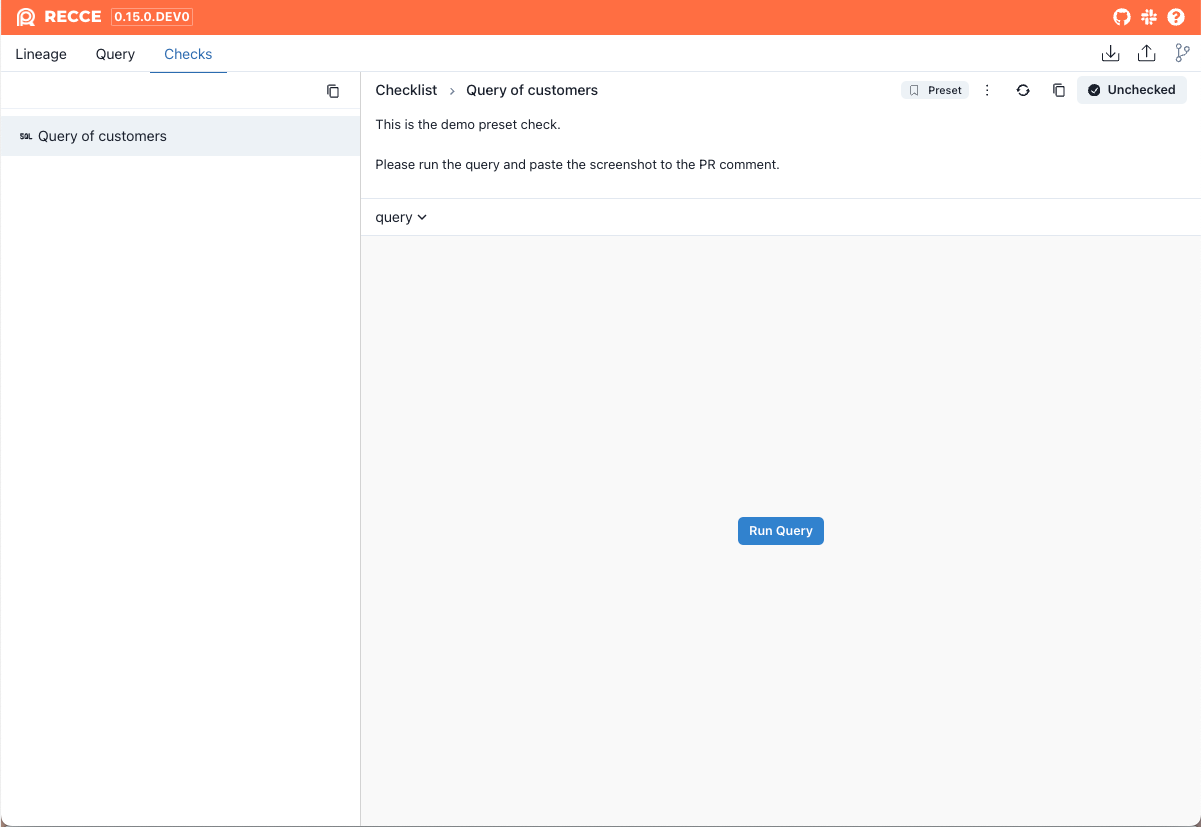
Click Run Query to execute each check.
With recce run
Execute all preset checks from the command line:
Output:
───────────────────────────────── DBT Artifacts ─────────────────────────────────
Base:
    Manifest: 2024-04-10 08:54:41.546402+00:00
    Catalog:  2024-04-10 08:54:42.251611+00:00
Current:
    Manifest: 2024-04-22 03:24:11.262489+00:00
    Catalog:  2024-04-10 06:15:13.813125+00:00
───────────────────────────────── Preset checks ─────────────────────────────────
                            Recce Preset Checks
──────────────────────────────────────────────────────────────────────────────
Status      Name                 Type         Execution Time   Failed Reason
──────────────────────────────────────────────────────────────────────────────
[Success]   Query of customers   Query Diff   0.10 seconds     N/A
──────────────────────────────────────────────────────────────────────────────
The state file is stored at [recce_state.json]
View results by launching the server with the state file:
Verification
Confirm preset checks work:
- Add a check config to
recce.yml - Run
recce run - Verify the check appears in output with
[Success]status - Launch
recce server recce_state.jsonand confirm the check appears in your checklist
Troubleshooting
| Issue | Solution |
|---|---|
| Check not appearing | Verify recce.yml is in project root and YAML syntax is valid |
| Check fails to run | Check that the SQL template references valid models |
| Wrong results | Ensure base and current artifacts are up to date |
Related
- Checklist - Manually add checks during development
- Configuration - Full recce.yml reference