Lineage Diff
The Lineage view shows how your data model changes impact your data pipeline. It visualizes the potential area of impact from your modifications, helping you determine which models need further investigation.
How It Works
Recce compares your base and current branch artifacts to identify:
- Dependencies - Which models depend on others
- Change Impact - How modifications ripple through your pipeline
- Data Flow - The path data takes from sources to final outputs
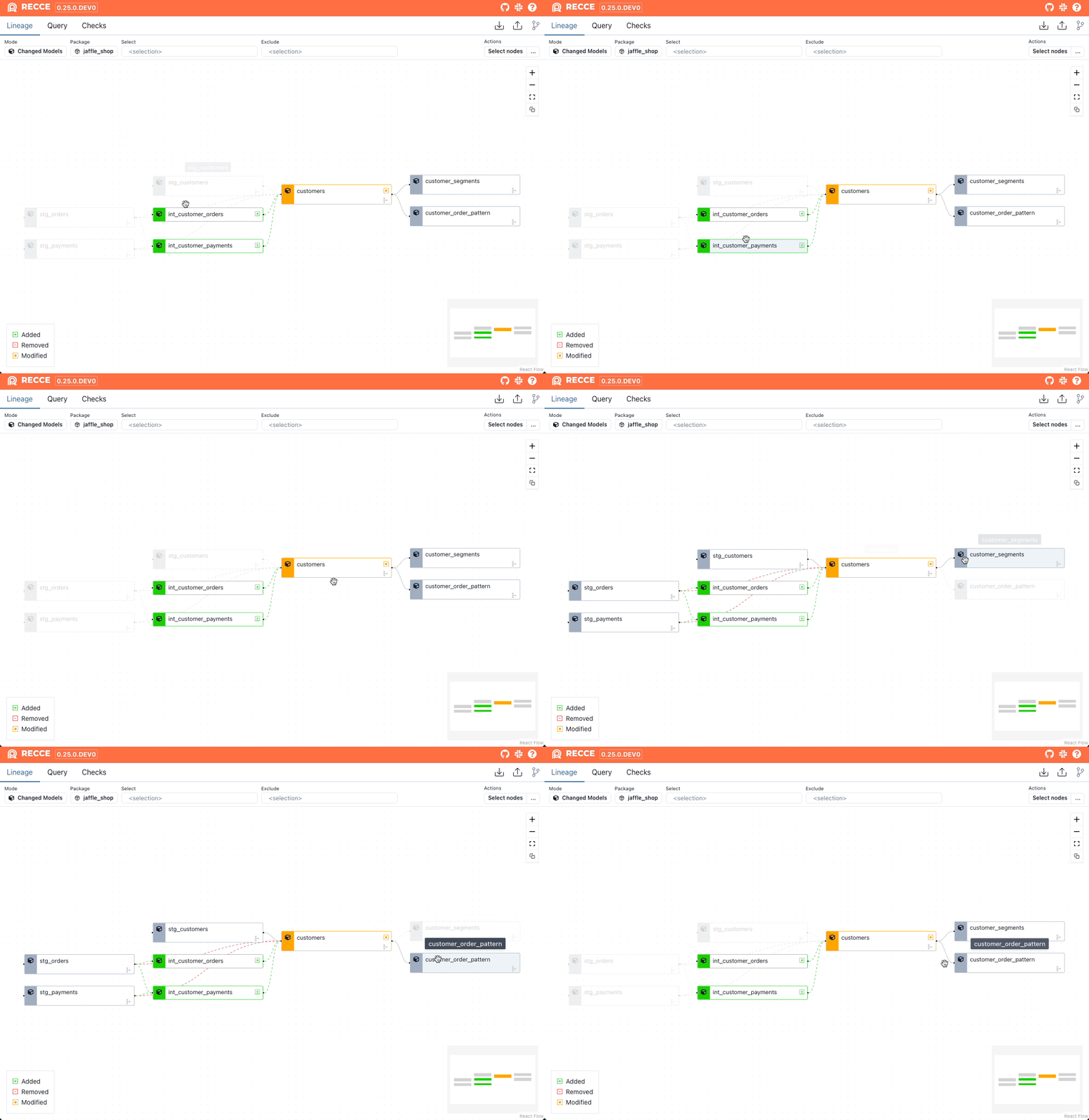
Visual Status Indicators
Models are color-coded to indicate their status:
| Color | Status |
|---|---|
| Green | Added (new to your project) |
| Red | Removed (deleted from your project) |
| Orange | Modified (changed code or configuration) |
| Gray | Unchanged (shown for context) |
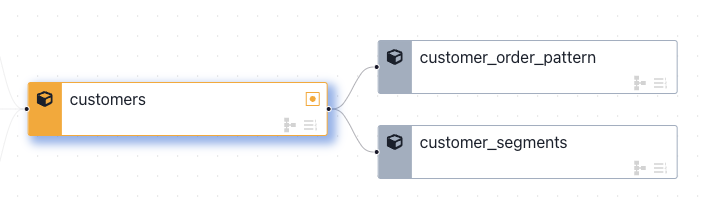
Change Detection Icons
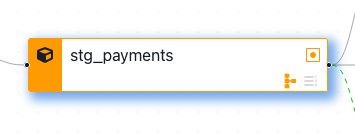
Each model displays icons in the bottom-right corner:
- Row Count Icon - Shows when row count differences are detected
- Schema Icon - Shows when column or data type changes are detected
Grayed-out icons indicate no changes were detected.
Filtering and Selection
Filter Options
In the top control bar:
| Filter | Description |
|---|---|
| Mode | Changed Models (modified + downstream) or All |
| Package | Filter by dbt package names |
| Select | Select nodes by node selection |
| Exclude | Exclude nodes by node selection |
Selecting Models
Click a node to select it, or use Select nodes to select multiple models for batch operations.
Row Count Diff by Selector
Run row count diff on selected nodes:
- Use
selectandexcludeto filter nodes - Click the ... button in the top-right corner
- Click Row Count Diff by Selector
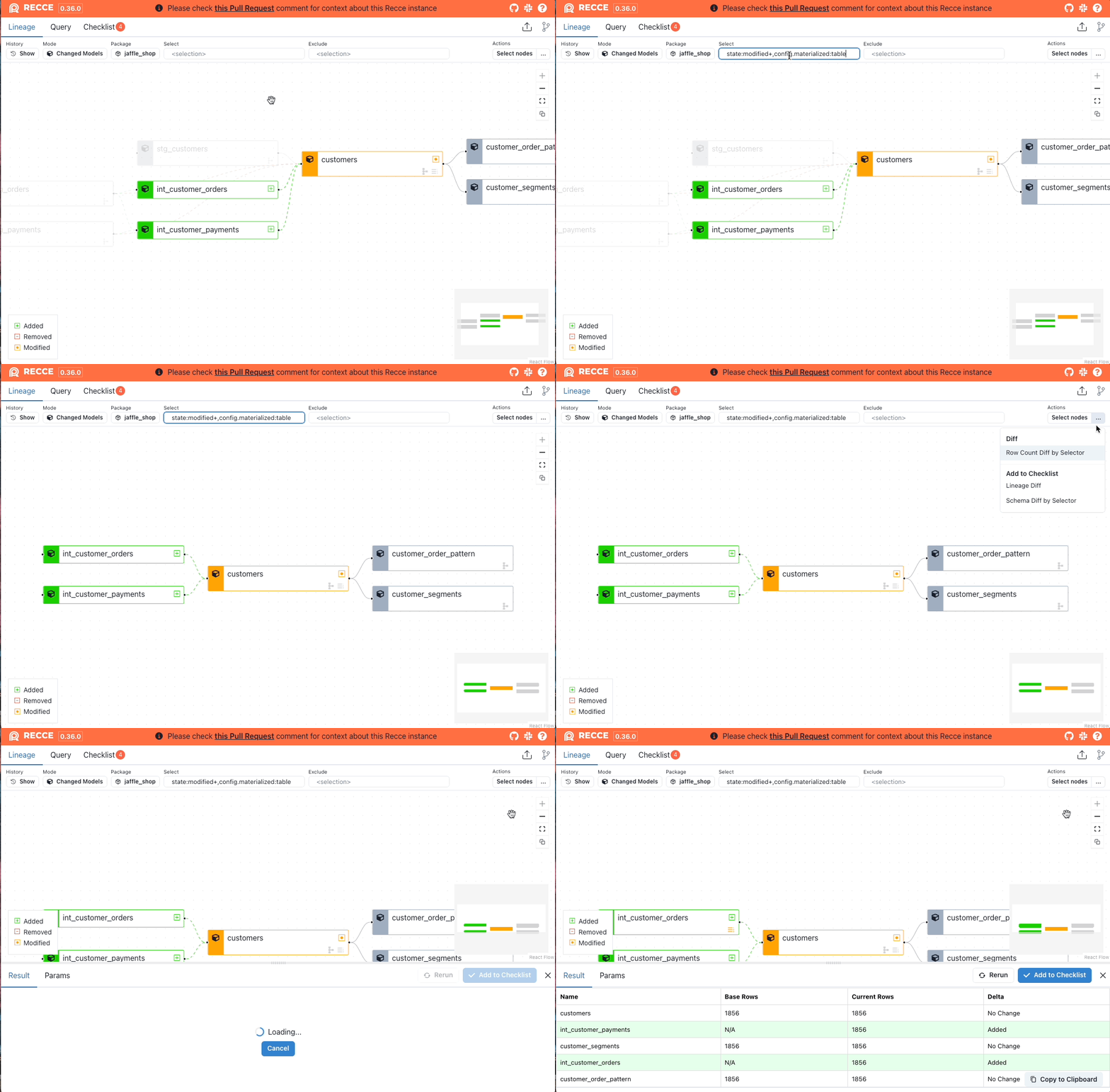
Investigating Changes
Node Details Panel
Click any model to open the node details panel:
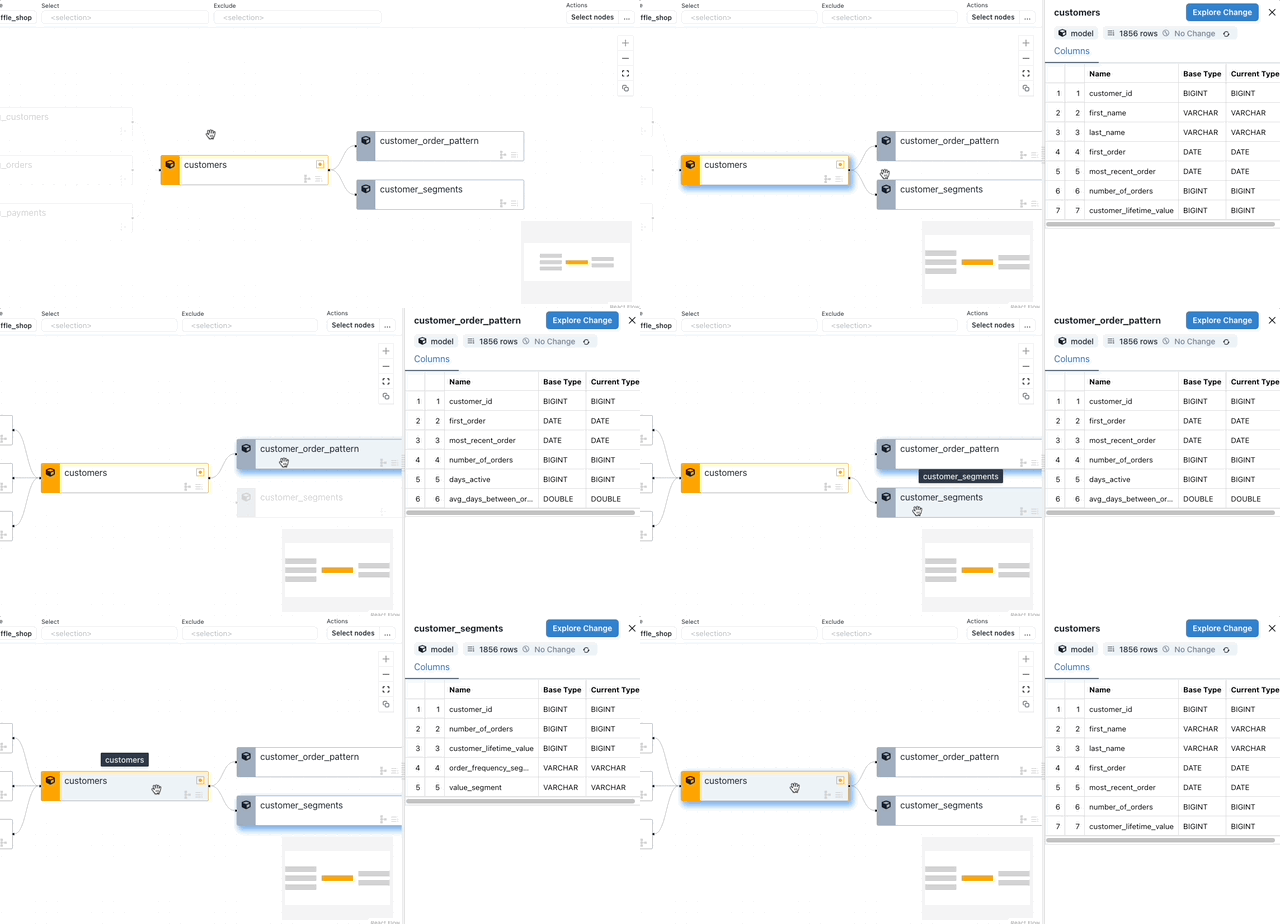
From this panel you can:
- View model metadata (type, materialization)
- Examine schema changes
- Run validation checks
- Add findings to your checklist
Available Validations
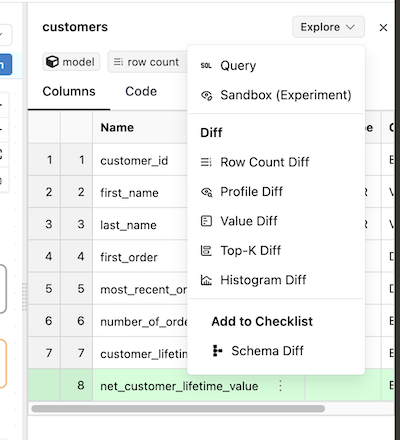
Click Explore Change to access:
- Row Count Diff - Compare record counts
- Profile Diff - Analyze column statistics
- Value Diff - Identify specific value changes
- Top-K Diff - Compare common values
- Histogram Diff - Visualize distributions
Schema Diff
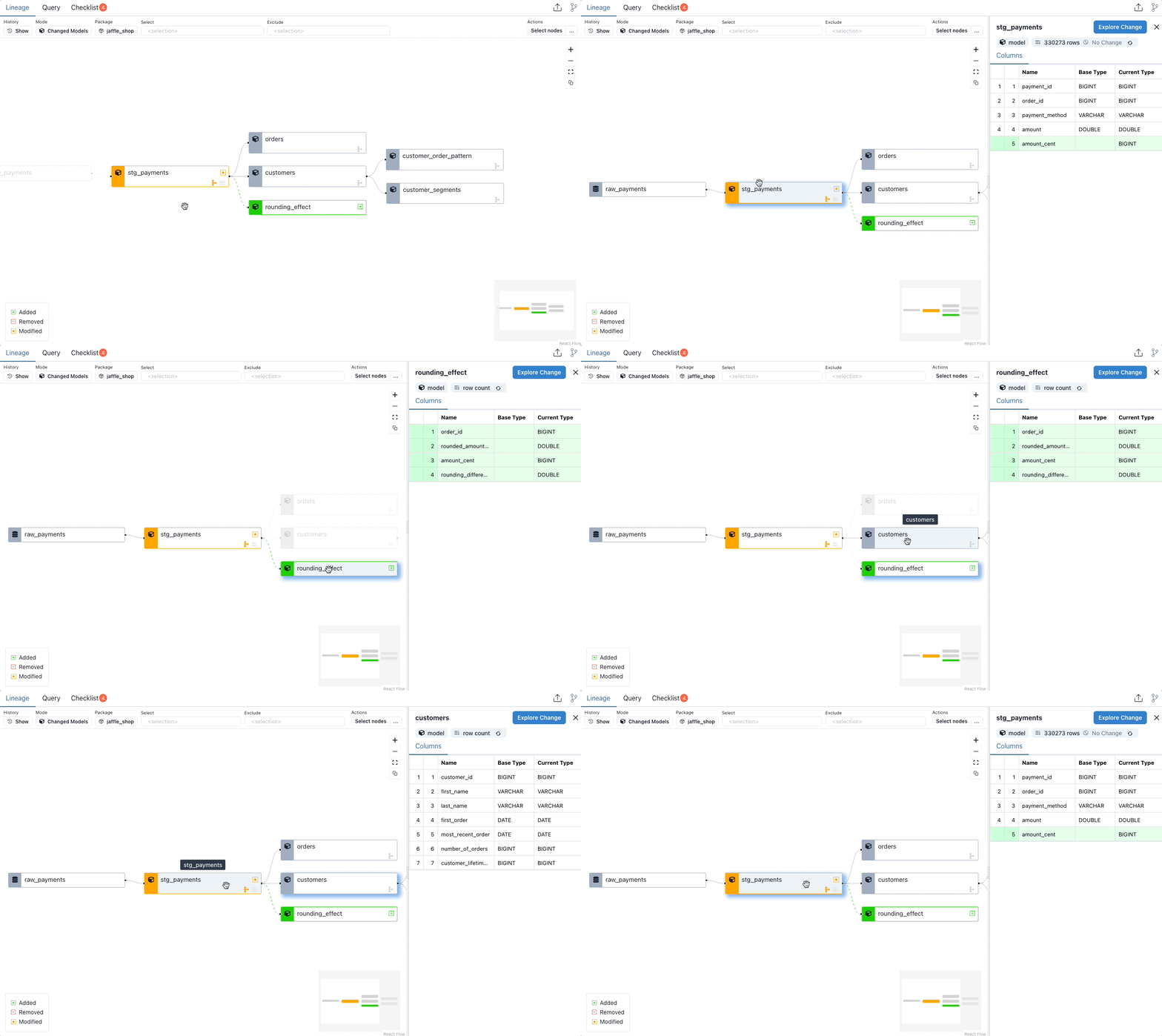
Schema diff identifies structural changes to your models:
- Added columns - New fields (shown in green)
- Removed columns - Deleted fields (shown in red)
- Renamed columns - Changed names (shown with arrows)
- Data type changes - Modified column types
Requirements
Schema diff requires catalog.json in both environments. Run dbt docs generate in both before starting your Recce session.
When to Use
- Starting your review - Get an overview of all changes and their downstream impact
- Identifying affected models - Find models that need validation
- Understanding dependencies - See how changes propagate through your pipeline
- Scoping your validation - Determine which models to diff
Related
- Code Change - View SQL changes for a model
- Column-Level Lineage - Trace column dependencies
- Multi-Model Selection - Batch operations on models
- Data Diffing - Validate data changes